

30 Apr Epicor EDI: How EDI Integration Enhance Epicor ERP
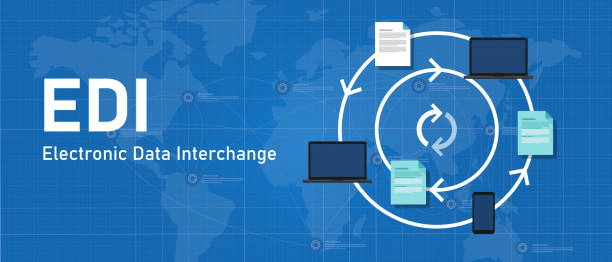
EDI Integration for Epicor: Automating Data Exchange Across Your Supply Chain
For distributors using Epicor Prophet 21 (P21) or P21 Cloud, efficiency often hinges on how well your ERP communicates with customers, vendors, and logistics partners.
That communication typically happens through EDI (Electronic Data Interchange); the standard method for exchanging purchase orders, invoices, and shipment documents electronically.
But while Epicor provides the core ERP functionality, it’s the EDI integration layer that determines how well that data flows between systems. Done right, EDI integration turns Epicor into a fully connected hub for your order-to-cash and procure-to-pay processes.
EDI Integration: The Bridge Between Epicor and Your Trading Partners
EDI integration for Epicor connects your ERP to external trading networks — automating document exchange so teams don’t have to rekey orders, invoices, or shipment details manually.
An effective integration maps EDI document data directly to your Epicor fields, allowing information to move between systems in real time.
Common EDI documents exchanged through integrations include:
850 – Purchase Orders
855 – Purchase Order Acknowledgments
856 – Advance Ship Notices (ASN)
810 – Invoices
846 – Inventory Advice
997 – Functional Acknowledgments
These documents are transmitted automatically between Epicor and your trading partners — ensuring accurate, timely data with minimal manual involvement.
The Role of EDI Integration in Epicor Environments
In today’s distribution landscape, EDI integration is not just about compliance — it’s about competitiveness.
Integrating EDI with Epicor Prophet 21 or P21 Cloud allows your business to:
Automate inbound and outbound transactions, reducing data entry and processing time.
Improve accuracy, ensuring orders, invoices, and shipments align across all systems.
Enhance customer and vendor relationships, meeting trading partner EDI standards.
Accelerate cash flow, with faster order-to-invoice cycles.
Increase visibility, providing full traceability for every document exchange.
Instead of managing manual imports or siloed EDI software, integration keeps everything centralized within your ERP workflows.
Common EDI Integration Scenarios for Epicor Prophet 21
Distributors integrate EDI with Epicor Prophet 21 and P21 Cloud in many ways, depending on their partner ecosystem and transaction volume. Typical use cases include:
Customer EDI Integration: Automatically receiving and acknowledging orders from large retailers or buying groups.
Vendor EDI Integration: Sending purchase orders and receiving shipment confirmations electronically.
3PL / Logistics Integration: Sharing ASN and tracking data between Epicor and third-party warehouses.
Marketplace and eCommerce Integration: Syncing order confirmations and invoices with platforms like Amazon or Wayfair.
Each integration relies on structured EDI mapping between your ERP and trading partner — often managed by a middleware or connector platform that ensures data flows reliably in both directions.
Technical Considerations for EDI Integration with Epicor
Integrating EDI with Epicor involves more than just connecting systems — it requires alignment between data structures, workflows, and trading partner requirements.
Common technical factors to address include:
Data Mapping: Translating EDI fields to Epicor’s database structure.
Automation Rules: Defining when and how transactions are generated or imported.
Error Handling: Managing exceptions, rejections, and reprocessing.
Scalability: Supporting new trading partners without major rework.
Security and Compliance: Maintaining secure, auditable data exchanges.
The most successful EDI integrations combine Epicor API capabilities, middleware, and managed EDI services — creating a flexible, future-ready architecture.
Why a Managed EDI Integration Strategy Matters
While EDI is standardized, every trading partner has unique requirements. Without a unified integration strategy, maintaining compliance can quickly become complex.
A managed or connector-based EDI integration approach provides:
Centralized visibility into all EDI transactions.
Automated partner onboarding and mapping management.
Continuous monitoring for failed transmissions or format changes.
Faster time-to-value, with prebuilt connectors for Epicor Prophet 21.
With the right integration partner, you can streamline operations while reducing the IT burden of maintaining multiple custom EDI connections.
The Takeaway
For distributors using Epicor Prophet 21 or P21 Cloud, EDI integration is the key to transforming data exchange from a manual, error-prone process into a fully automated, reliable workflow.
When integrated strategically, EDI keeps your ERP at the center of your supply chain; ensuring every order, shipment, and invoice moves securely and efficiently between you and your trading partners.
In a connected economy, EDI integration isn’t just about technology; it’s about maintaining speed, accuracy, and trust in every transaction.
Want more information?
Explore how EDI integrations can enhance your Epicor environment, from managed services to direct API-based connections.
Follow us on LinkedIn for insights on ERP integrations, digital transformation, and supply chain automation for distributors.